
Hello,
If this thread is in the incorrect section then please move, but please don't lock (close) this thread because I will keep this guide updated with every helpful step to decrease your ping and fix the Minecraft multiplayer lag.
This guide was very helpful for me and I hope for everyone too! I played 2 EggWar games and I faced the lag only 2 times due to the very slow internet ... and those 2 times lag passed very fast.
I might refer to this guide in the future too if I re-installed Minecraft and I forgot the steps

I solved that really! And now all the players are moving and the chat messages are being sent and received in 0.5 second !
I tried to test with and I got 490 Kbps while I get the best performance on Minecraft !
Here is what I did:
1. I have Bitdefender Total Security 2018, it is automatically set to be updated every 1 hour... I set that to 2 hours.
2. Super thanks to ?comment=11 ! I followed all the steps and restarted the game and some lag effects were fixed, such as: Placing blocks lag, picking items lag. However I did more steps to fix the lag completely ! Continue reading ...
3. I went to the router config (192.168.1.1) and disabled the bandwidth control ... it was enabled.
4. Also from the router config (192.168.1.1) , I set the DHCP DNS to 8.8.8.8 and 8.8.4.4 --- also all the devices connected to the router must have the DNS set to 8.8.8.8 and 8.8.4.4 too !
My connection speed when I used this guide and I faced 0% lag:
SpeedTest.net:
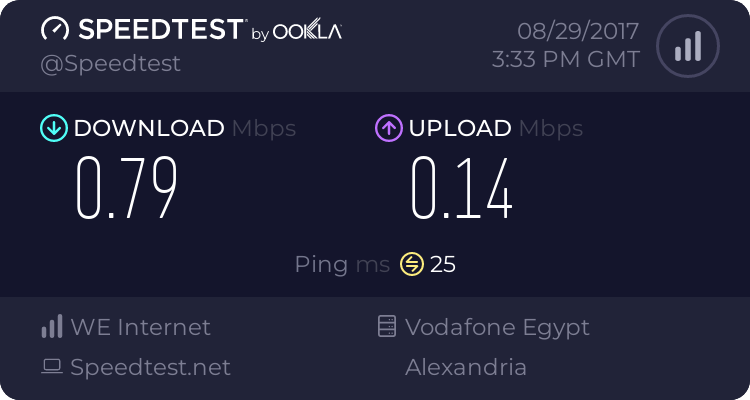

EDIT: if ?comment=11 was removed , here it is :
I too have had this problem and OMG i have tried every forum and so on and found nothing that worked until now ....
i have looked at the game MC it is very sloppy in its frame there is a graphics bug and a network bug
Graphics (blocks reappear after dig or disappear after build) can also slow chat
Fix: (well it worked for me)
1) update graph card (I "MatrixCow08 didn't update anything. so this step is not required for a lot of people.. but if u have very old graphics card driver then updating it will give more good performance!)
2) put your video options as follows (it will be a bit slower than 1 player game, as it will drain your mem in places but you will not get the Blocks reforming and will build ok ) and remember to move away from your spawn point till you try :smile.gif:-
Graphics :FAST
limit fram :ON (if u are using optifine then u will see "vsync" ... i (MatrixCow08) set it to 40 and everything is good with it.)
View Bobbing :OFF
GUI Scale :AUTO
Render Dist : FAR (I "MatrixCow08" set the render distance to 8 ... FAR will make the game laggy and maybe the connection too?)
3D Ana : OFF
Smooth Light : ON
Advanced opGL : OFF


